RobotArm Demo-260529
update-260529 | release-260528
1-Launch Demo
Follow these steps to launch the demo:
-
Activate the Python virtual environment:
conda activate vikiAfter activation, the terminal prompt will show:
jetson@jetson-Yahboom:~/viki$ conda activate viki (viki) jetson@jetson-Yahboom:~/viki$ -
Change to the working directory:
cd ~/viki -
Run the demo:
python3 agent.pyOnce launched, the following output appears:
 (viki) jetson@jetson-Yahboom:~/viki$ python3 agent.py
 WARNING: Carrier board is not from a Jetson Developer Kit.
 WARNNIG: Jetson.GPIO library has not been verified with this carrier board,
 WARNING: and in fact is unlikely to work correctly.
 <USER>:
2-Grab and Move a Cube
Grasp a colored cube and move it to a specified position.
-
Place the cubes as shown:
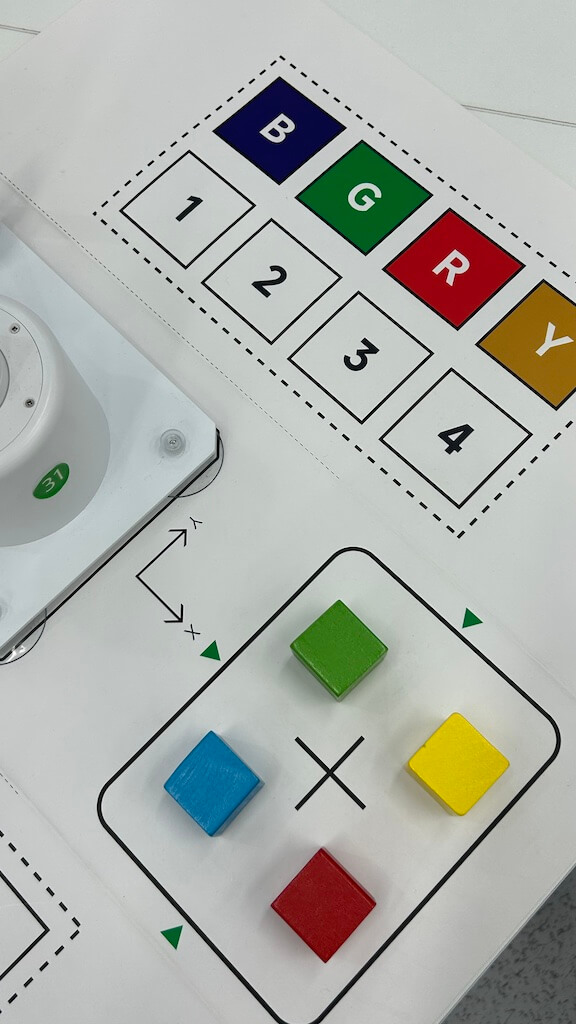
-
Grab and move the blue cube:
new task, grab blue cube and move to -80,200 -
Grab and move the green cube:
new task, grab green cube and move to 0,200 -
Grab and move the red cube:
new task, grab red cube and move to 80,200 -
Grab and move yellow cube:
new task, grab yellow cube and move to 160,200
After execution, the cubes are positioned as shown:
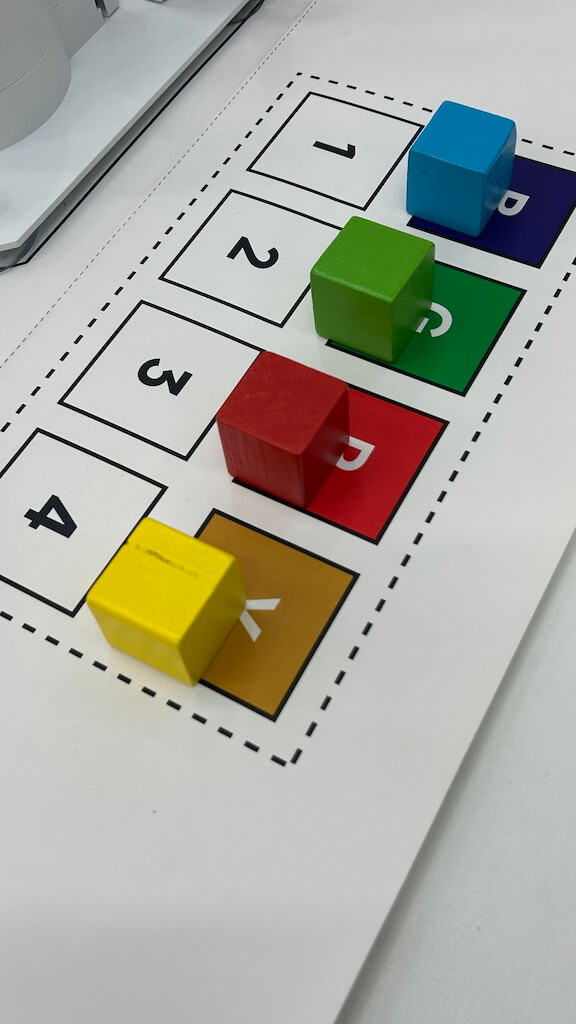
3-Stack Cubes
Stack two cubes on top of each other.
-
Place the cubes as shown:
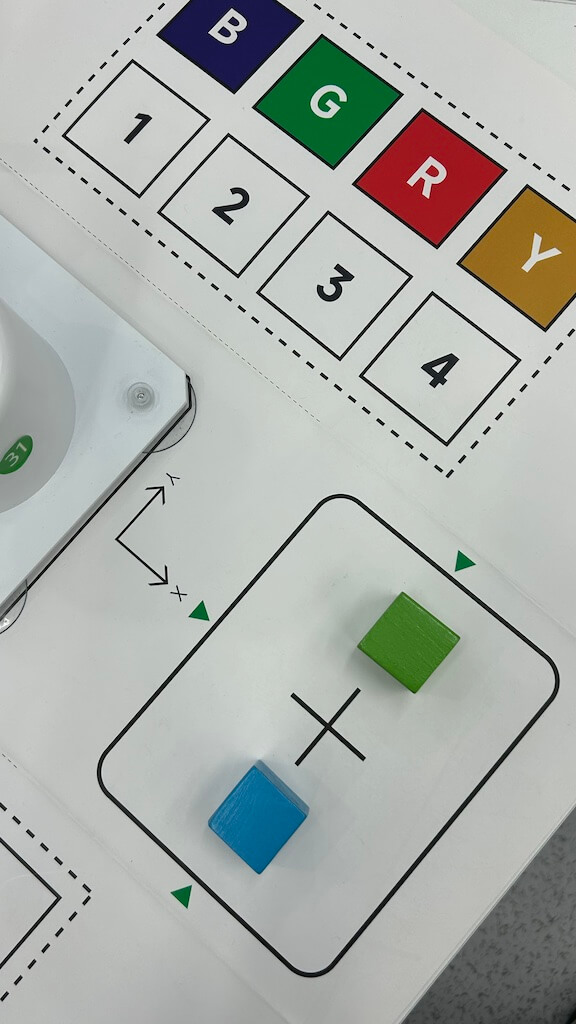
-
Execute the stacking command:
new task, stack two cubes together
The result should look like:
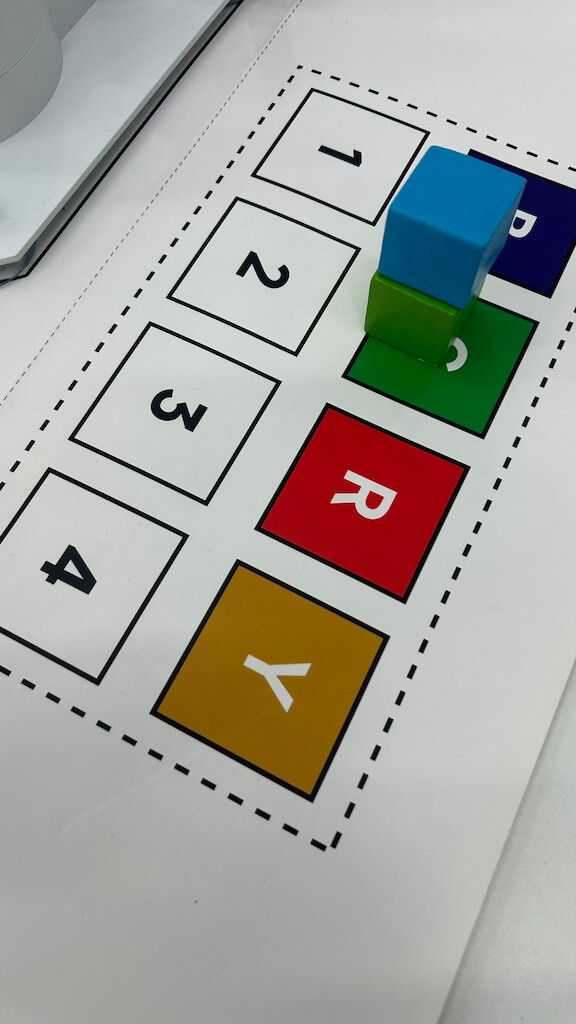
4-Arrange Cubes in a Circle
Grab and arrange six cubes in a circular pattern.
-
Place the cubes as shown:
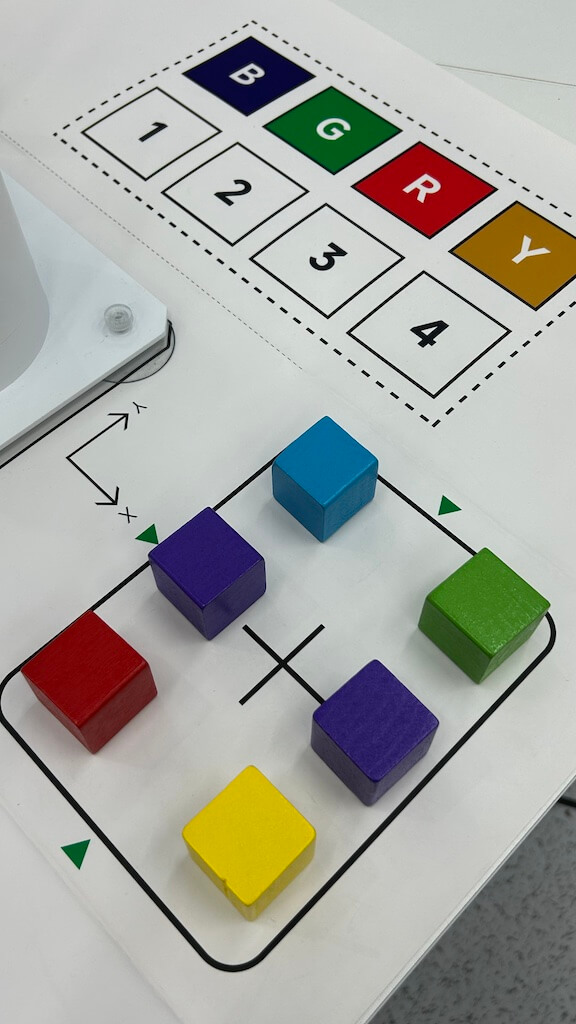
-
Execute the circle arrangement command:
new task, put six cubes as a circle
Final arrangement:
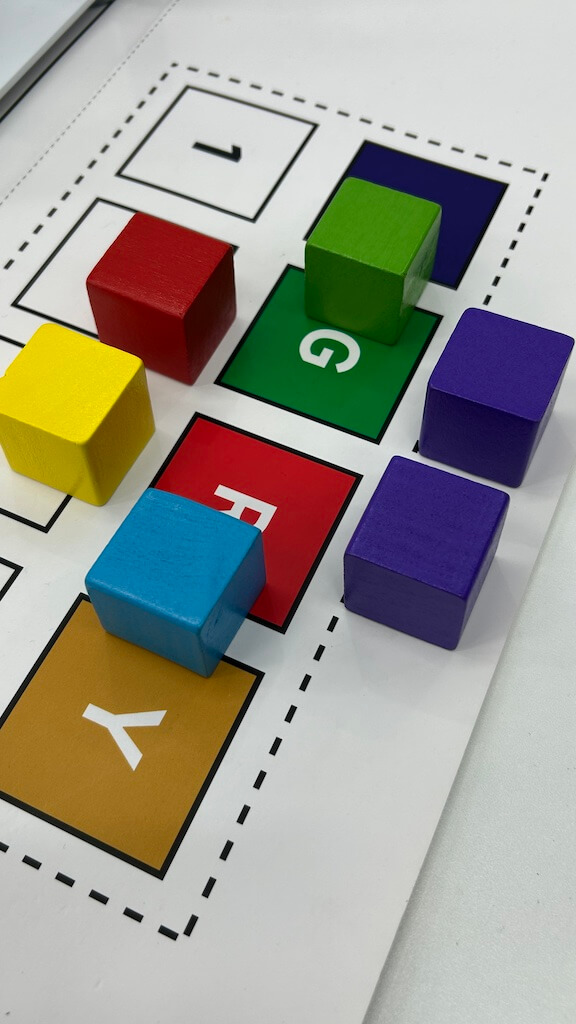
THE END