AscendDK Demo-260529
update-260529 | release-260528
0-Launch Demo
Launch demo with the following steps:
-
Change diretory:
cd /home/HwHiAiUser/samples/notebooks -
Run server of demo:
./start_notebook.sh 192.168.137.100information shown on the screen after demo launched:
... [I 2026-04-27 23:11:42.675 ServerApp] Use Control-C to stop this server and shut down all kernels (twice to skip confirmation). [C 2026-04-27 23:11:42.753 ServerApp] To access the server, open this file in a browser: file:///root/.local/share/jupyter/runtime/jpserver-3838-open.html Or copy and paste one of these URLs: http://192.168.137.100:8888/lab?token=fake-token-use-your-own-token http://127.0.0.1:8888/lab?token=fake-token-use-your-own-token ... -
Access demo in browser:
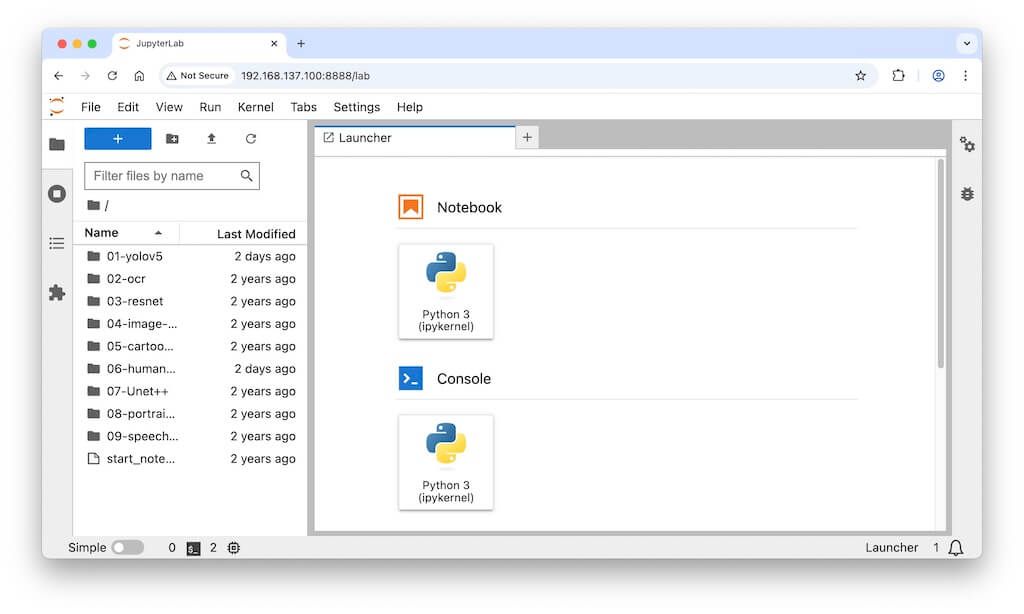
Click url in last steps, then get all demos in browser:
1-YOLOV5
Run 1-YOLOV5 with the following steps:
-
Open main.ipynb
Click directory 01-yolov5 → double click file main.ipynb
-
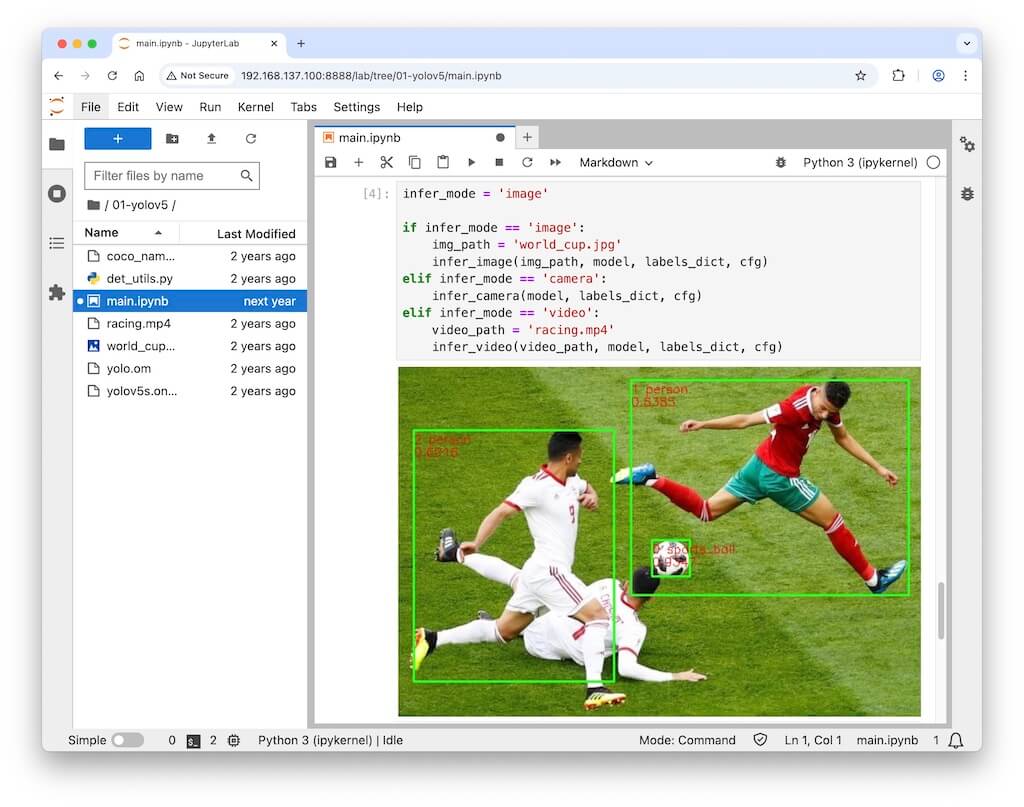
Let infer_mode = ‘image’
Change code of main.ipynb, let
infer_mode = 'image' -
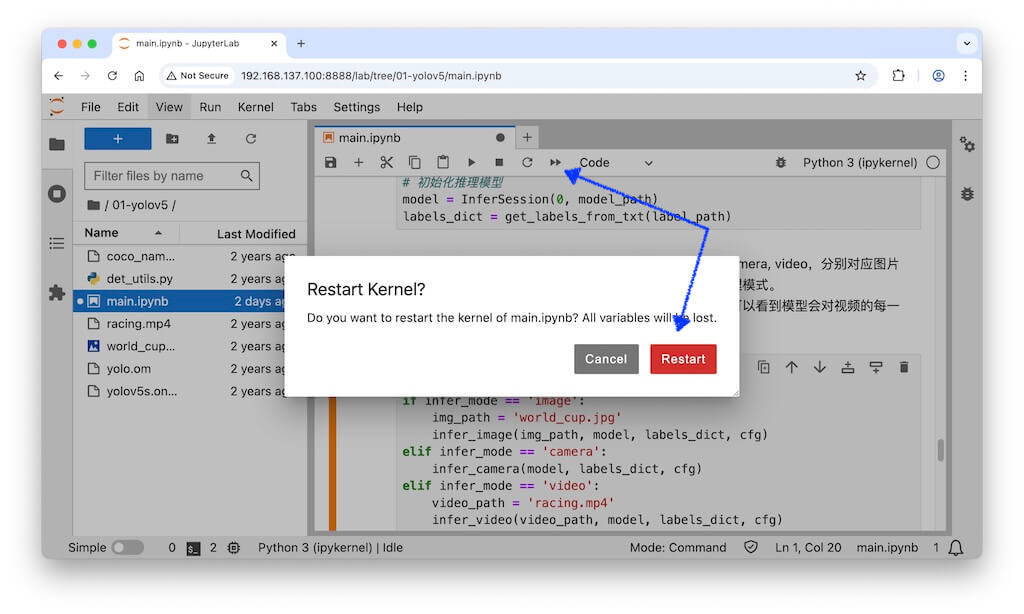
Click double arrow ▶︎▶︎ on top of browser,then click button Restart
Get infer result few seconds later:
-
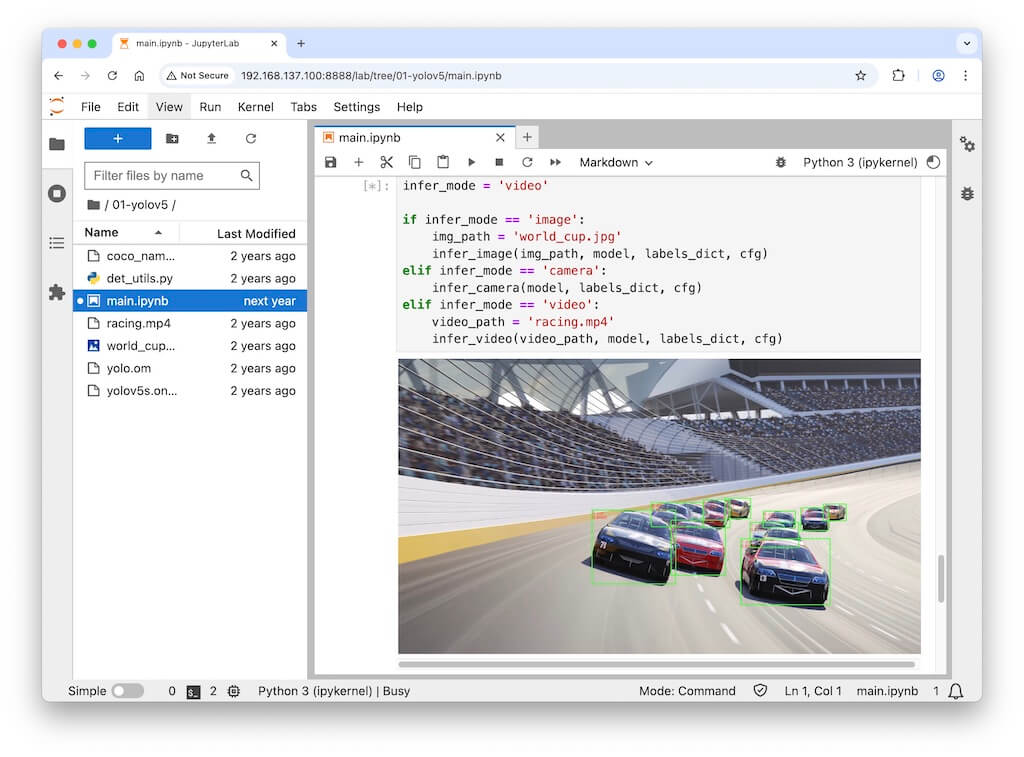
Let infer_mode = ‘video’
-
Click double arrow ▶︎▶︎ on top of browser,then click button Restart
Get infer result few seconds later:
-
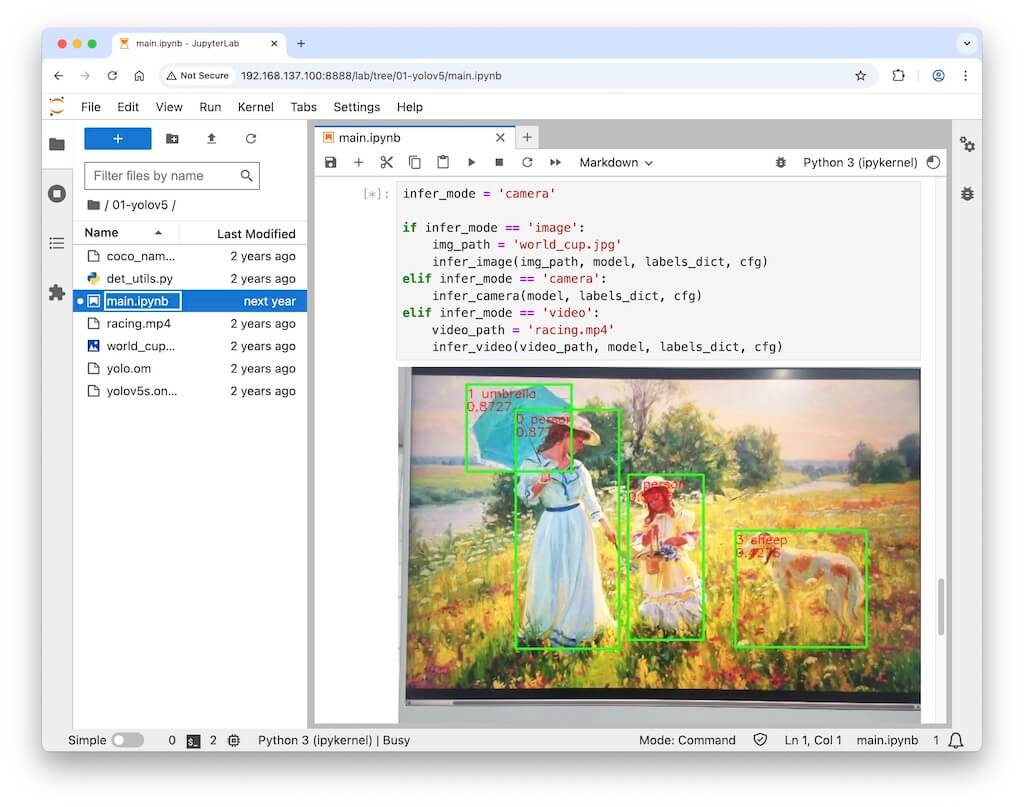
Let infer_mode = ‘camera’
-
Click double arrow ▶︎▶︎ on top of browser,then click button Restart
Get infer result few seconds later:
2-Run all other demos
Run all other demos to see what you get.
-
Open main.ipynb
Click directory 02-xx → double click file main.ipynb
-
Run demo
Click double arrow ▶︎▶︎ on top of browser,then click button Restart.
THE END